
An AR tour uses a device you already own, usually your phone, to layer digital content over the real place you are standing in. Point the camera at a street, a building or a patch of empty ground, and the screen can show a movie scene, a vanished landmark, a 3D model or a label with the story behind what you see. The real place stays the star. The technology adds context.
This guide explains what AR actually is, how an AR tour runs from start to finish, where it helps and where it gets in the way, and what it looks like in Los Angeles.
TL;DR
- An AR tour overlays digital content (video, 3D models, audio, text) on the real location you are looking at, mostly through a smartphone or tablet camera.
- AR is not VR. VR replaces your surroundings, while AR adds to them, so you can keep walking, talking and taking in the street.
- Download content on Wi-Fi before you go, charge your phone, and treat AR as an optional layer, not the whole visit.
- The best formats keep the place first: a good guide or a clean self-guided route, with AR for the moments that need a picture of what is missing.
- In Los Angeles, we offer a self-guided Walk of Fame experience with AR, plus guided small-group tours with onboard video and multilingual audio.
Table of Contents
- What augmented reality means
- How an AR tour works, step by step
- Phone or glasses?
- Where AR helps, and where it gets in the way
- Guided AR versus self-guided AR
- Accessibility: check before you rely on it
- A practical checklist before you start
- AR sightseeing in Los Angeles
- Our perspective
- Pick a tour that fits how you like to travel
- FAQ
- Sources
What augmented reality means
The most cited definition comes from researcher Ronald Azuma in 1997. According to an overview of the field from InformIT, an AR system has three traits: it combines real and virtual content, it is interactive in real time, and it is registered in 3D, meaning digital objects line up with physical ones. That third trait is what separates AR from a video playing on a screen. If a virtual building sits exactly where the real one once stood, and stays there as you move, that is registration at work.
The content can be visual, audio or even haptic. On a tour, it is nearly always visual and audio: images and animations on the screen, narration in your ears.
AR versus VR
The two get mixed up constantly, and it is one of the questions people ask most. A Communications of the ACM paper on AR systems puts the difference plainly: virtual reality replaces the real world with a simulated one, while AR senses the physical world and builds on it.
For sightseeing, that distinction decides almost everything:
| Augmented reality (AR) | Virtual reality (VR) | |
|---|---|---|
| What you see | The real place, with digital content added | A fully computer-generated place |
| Typical device | Phone or tablet; sometimes glasses | Headset that covers your eyes |
| Where you are | On location, moving through it | Anywhere, often standing still |
| Best for | Cities, heritage sites, outdoor landmarks | Places you cannot visit, or that no longer exist |
| Awareness of surroundings | Full | Limited |
VR is a destination in itself. AR only makes sense when you are already at the place. That is why it suits city sightseeing, where the street is the attraction.
How an AR tour works, step by step
The details vary by operator, but most AR tours follow the same pattern. The National Park Service describes a self-guided example at New Philadelphia, Illinois, where animated people and buildings appear on the landscape of a frontier town that has almost disappeared above ground. The route is a quarter-mile trail with 11 stops.
- Get the software. You install a tour app or open a web-based AR page in your browser. Web-based versions are becoming more common because fewer people want to install new software mid-trip.
- Download the content early. Video and 3D files are heavy. The same guidance for tour operators advises loading them over Wi-Fi before you arrive, since outdoor cellular signal can be unreliable.
- Walk to a trigger point. Triggers are usually a GPS location or a QR code on a sign or marker. Your phone recognizes where you are and unlocks the matching content.
- Hold up the camera. The app anchors a 3D model, animation or text to the scene in front of you.
- Listen and look around. Audio narration often runs while you look. Many tours add a short video or a historical re-enactment.
- Move to the next stop. Navigation guides you to the following point, and the cycle repeats.
Simple versions skip the 3D anchoring and use QR codes that open a video or audio clip. That is closer to a digital sign than true AR, but it is a legitimate starting point, and many operators begin there.
What you might see
Common AR tour features include:
- Point-of-interest markers on a map, triggered by GPS or QR codes
- 3D reconstructions of buildings that have been demolished, damaged or altered
- Historical figures or scenes re-enacted in place
- Interactive overlays with photos, facts, quotes or film clips
In a place like Hollywood, the most natural use is the last one: standing at the spot where a famous scene was filmed and watching it play on your screen.
Phone or glasses?
AR glasses feel futuristic, but for outdoor sightseeing the phone still wins. A study on information placement at outdoor heritage sites found that smartphone AR is currently more successful for task-oriented exploration of landmarks, largely because people already know how to use their phones and carry one anyway.
The practical upshot: you do not need to buy or rent anything. A reasonably recent phone, a charged battery and headphones are enough for most tours.
Where AR helps, and where it gets in the way
Honest answer: AR is excellent for some stops and pointless for others.
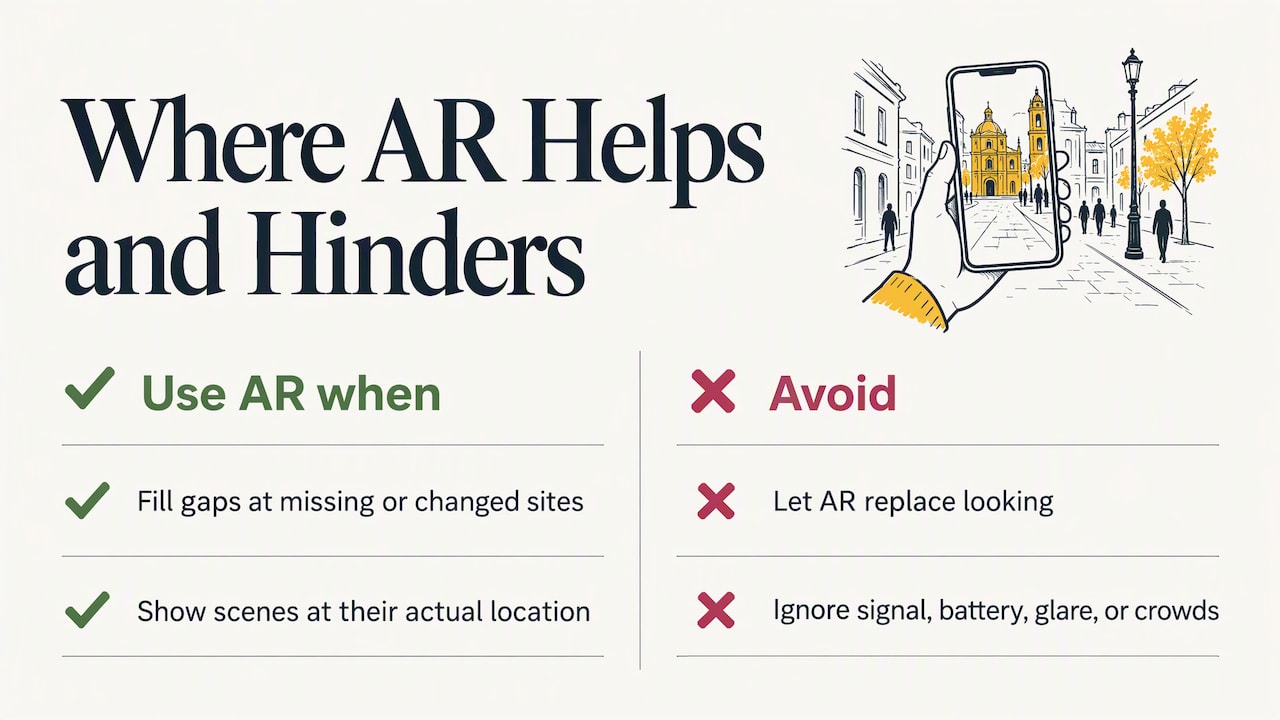
It helps when something is missing. A lot of famous places look underwhelming in person. A vacant lot where a studio once stood, a plain facade with a rich history, or a landscape whose original buildings are gone: AR fills the gap between what you see and what happened there.
It helps when a story needs a picture. Hearing that a scene was shot at a certain corner is fine. Seeing the scene on your screen while you stand on that corner is better.
It gets in the way when it replaces looking. If you spend the whole walk staring at a 6-inch screen, you have paid to travel to a city and watched it through a camera. Industry commentary on AR in city tourism, such as this piece on augmented experiences in downtown Los Angeles, makes the same point: the best deployments keep the location in front and treat AR as an optional extra layer for people who want more depth.
It gets in the way when logistics fail. No signal, a dead battery, glare on a sunny afternoon or a crowded sidewalk where you cannot stop to hold up your phone can all spoil it. Plan for these.
Guided AR versus self-guided AR
The choice depends on what you want from the day.
Self-guided
You move at your own speed, stop where you like and repeat anything you missed. It is cheap and flexible, and good for compact areas you can walk. The trade-off is that nobody answers your questions, and you handle the navigation and the tech yourself.
Guided
A local guide reads the crowd, answers questions, points out what is not in any app and handles driving and parking. When digital content joins the commentary, such as video clips on onboard screens, the technology supports the guide rather than replacing them. We wrote more about this balance in why guide-led augmented reality sightseeing wins for most visitors.

If you are deciding between formats for a whole Los Angeles day, our comparison of walking tours and bus tours covers the practical trade-offs: distances, heat, parking and how much ground each covers.
Accessibility: check before you rely on it
AR can be more accessible than a printed sign: audio descriptions, captions, high-contrast color and dyslexia-friendly fonts can all be built in. When California State Parks launched its Virtual Adventurer app in June 2023, it included features of this kind for nine participating state parks. But not every AR experience offers them, so check the app’s documentation or ask the operator before you book. If mobility is a concern, our guide to whether Hollywood tours are wheelchair accessible in LA explains what to ask.
A practical checklist before you start
- Charge your phone fully and bring a small battery pack. Camera, GPS and video drain power fast.
- Download everything over Wi-Fi at your hotel. Do not count on a signal outdoors.
- Bring headphones so narration is clear on a busy street.
- Free up storage. Offline video and 3D files can be large.
- Use sunglasses and screen brightness wisely. Bright Los Angeles sun washes out a screen, so find shade for AR moments.
- Look up between screens. Use AR for the stop, then put the phone away and take in the place.
AR sightseeing in Los Angeles
Los Angeles is a natural fit. Much of what visitors come for is about images they already know from film and television, and AR can connect that memory to the exact spot. Our Hollywood Walk of Fame self-guided tour is built around this idea: you walk the Boulevard at your own pace, with augmented reality, an interactive map to find stars, and narration, rather than wandering and guessing.
On our guided bus tours, the technology plays a supporting role. Small groups ride with a live local guide, onboard screens show exclusive video content, and audio guides are available in more than 11 languages. The guide leads, and the screens add what a windshield cannot show.
Our perspective
We run tours in Los Angeles every day, and we have watched what makes visitors light up. It is rarely the gadget. It is the moment a story clicks into place: a guide points at a gate, a screen shows the scene filmed behind it, and suddenly a quiet street means something.
That shapes how we think about AR. Technology should serve the place, not compete with it. We use video and AR where they add something a guide cannot easily show, and we keep groups small so guests can ask questions, hear the guide and look out the window instead of at a device. We also keep self-guided options for people who prefer to explore alone at their own speed.
If you are choosing between tours, ask three things. Does the technology work without a signal? Can you ignore it and still enjoy the tour? Is there a real person who can answer what the app cannot? If the answer to all three is yes, the tour will probably be good.
— vincent
Pick a tour that fits how you like to travel
If you want the AR experience on foot, start with the Walk of Fame self-guided tour. If you would rather sit back, our small-group bus tours cover Hollywood landmarks and celebrity neighborhoods with a live guide, and our Hollywood to Santa Monica Tour is 79 $ per person for 4.5 hours. For the Hollywood Sign, the Hollywood Sign Tour is 199 $ per group. Prefer a private outing? Our guide to how to book private sightseeing in Hollywood walks you through it.
FAQ
Is AR or VR better for sightseeing?
For being on location, AR is the better fit, because it adds to the place you are actually standing in. VR suits places you cannot reach or that no longer exist, since it replaces your surroundings entirely. Many travelers use VR at home to preview and AR on the ground to explore.
What does an augmented reality experience mean?
It means an experience where digital content, such as video, 3D models or narration, appears over your real view of a place, usually through a phone camera. The content is tied to specific locations and responds as you move. You are still in the real world the entire time.
Do I need to download an app for an AR tour?
Sometimes. Some tours use a dedicated app, while a growing number run in a web browser to avoid installation. Check the booking details, and download any required content over Wi-Fi before you set off.
What is a virtual tour, and is it the same as an AR tour?
A virtual tour is usually a remote experience: photos, 360-degree video or a 3D model you view from home. An AR tour happens on site and layers content over the real location. They can complement each other, but they are not the same thing.
Does an AR tour work without cell service?
Only if the content is downloaded beforehand. Video and 3D files are heavy, so operators recommend loading them over Wi-Fi first. Without that, outdoor signal can leave you with a blank screen.
Sources
- Introduction to Augmented Reality: Definition and Scope (InformIT)
- Security and Privacy for Augmented Reality Systems (Communications of the ACM)
- Take a Self-Guided Augmented Reality Tour (U.S. National Park Service)
- AR for tour operators: 5 easy ways to get started (Palisis)
- AR Sightseeing: Comparing Information Placements at Outdoor Historical Heritage Sites
- California State Parks Launches Virtual Adventurer Mobile App
- Augmented reality experiences in downtown Los Angeles (Hoverlay)